How to keep track of bills: a bill tracker that matches your paydays
To keep track of bills, make one list of every bill with its amount, due day, how it's paid and which account it comes out of. Sort the list by due day and match each bill to the paycheque that lands before it. Then check the list for five minutes every payday and tick off what's paid. Put yearly bills on the same list with their due month, and set aside a twelfth of each one every month so they never surprise you.
Updated November 16, 2026 · About 6 minutes to read
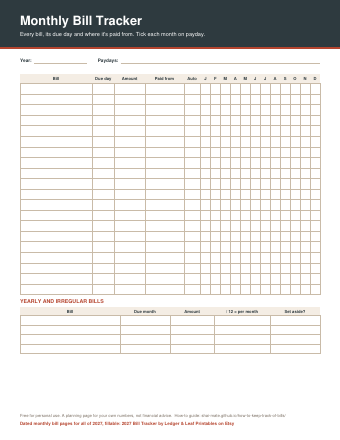
Free printable: Monthly bill tracker
One page, US Letter, print and fill in by hand. No email sign-up.
Download the free PDFThe six columns a bill tracker needs
Whatever you use (paper, a spreadsheet, an app), a bill tracker only works if it answers the same six questions for every bill:
- Who you pay (the company, and the account number if you pay manually).
- Amount, or "varies" with a typical range for things like hydro.
- Due day of the month (or the due month, for yearly bills).
- Paid from: which account or card it comes out of.
- How: autopay or manual.
- Paid: a tick box for each month, and the date you paid it.
Everything else, like confirmation numbers, login notes and how to cancel, is nice to have. Those six are the ones that stop late fees.
Step 1: Find every bill (not just the ones you remember)
Most people can name 8 bills from memory and actually have 12 to 15. To find them all:
- Go through the last three months of your chequing account and every credit card. Write down anything that repeats.
- Then scan the last 12 months for anything billed once or twice a year: insurance, memberships, property tax, a domain renewal, app subscriptions on annual plans.
- Check your phone's app store subscriptions list (Settings on iPhone, the Play Store on Android). Subscriptions charged there often show up under the store's name, not the app's.
Step 2: Write the list and sort it by due day
Here is a real-looking list for one person in Canada, sorted by the day each bill is due:
| Bill | Due day | Amount | Paid from | How |
|---|---|---|---|---|
| Rent | 1 | $1,850 | e-transfer | Manual |
| Car insurance | 3 | $165 | Chequing | Autopay |
| Car loan | 5 | $335 | Chequing | Autopay |
| Phone | 8 | $55 | Visa | Autopay |
| Streaming (2) | 11 | $27 | Visa | Autopay |
| Internet | 12 | $70 | Visa | Autopay |
| Gym | 15 | $45 | Chequing | Autopay |
| Visa (pay statement in full) | 18 | varies | Chequing | Manual |
| Hydro (electricity) | 21 | $62 | Chequing | Autopay |
| Line of credit | 24 | $65 | Chequing | Autopay |
| Tenant insurance | 27 | $25 | Chequing | Autopay |
| Cloud storage | 28 | $4 | Visa | Autopay |
Notice the Visa line. Phone, streaming, internet and cloud storage ($156 a month together) are charged to the Visa, and the Visa statement is the bill you actually pay from chequing. Write card-paid bills on the tracker anyway, so you know what makes up the card balance and can spot a price increase.
Step 3: Match bills to paycheques
This is the step that stops the "I have money, but not until Friday" problem. Assign every bill to the paycheque that arrives before it's due.
Paid on the 15th and the last day of the month:
The last-day cheque covers bills due on the 1st to the 14th of next month ($2,350):
- Rent (day 1): $1,850
- Car insurance (day 3): $165
- Car loan (day 5): $335
The 15th cheque covers bills due on the 15th to the 31st ($197 plus the Visa statement):
- Gym (day 15): $45
- Visa (pay statement in full) (day 18): the full statement balance
- Hydro (electricity) (day 21): $62
- Line of credit (day 24): $65
- Tenant insurance (day 27): $25
Now you know the real number: the last-day cheque has to cover $2,350 before you spend a dollar of it. That's the number to plan groceries and everything else around.
Paid every two weeks: the split moves around because paydays drift through the month. The easiest fix is to split your total bills in half and move that half into a bills account every payday, whatever the date. In 2027, if you're paid every second Friday starting January 8, April and October each have a third payday; that cheque has no bills assigned to it.
Step 4: The 5-minute payday routine
Every payday, open the tracker and do four things:
- Tick off everything that was paid since last payday, and write the date.
- Look at what's due before the next payday. Pay anything manual now, or schedule it.
- Check that the account each autopay comes from has enough in it.
- Write down any amount that changed. Price increases on phone and internet plans are easy to miss if you only check the total.
That's it. Five minutes, twice a month. The tracker only goes wrong when you skip a few paydays and then try to catch up.
Autopay: use it, but keep a buffer
Autopay is the single best way to avoid late fees. The risk is a payment pulling from an account that's short, which can cost you an overdraft or NSF fee. Two ways to make that impossible:
- Keep a buffer in the account autopays come from, equal to at least your biggest stretch of bills between paydays. In the example above that's the $2,350 due between the 1st and the 14th.
- Use a separate bills account. Move your share of bills into it every payday and let everything autopay from there. Your everyday account then shows what's actually yours to spend. A lot of people who switch to this method stop thinking about due dates at all, because the bills account is always topped up a cheque ahead.
Yearly bills belong on the same tracker
Add a small section at the bottom for bills that come once or twice a year, with the month they're due and the amount. Then divide each by 12 and put that amount aside each month in a sinking fund. A $1,860 car insurance renewal is $155 a month; seen that way, it's just another bill.
Once a year: the bill review
With every bill on one page, you can see them clearly. In the example above, the gym, two streaming services and cloud storage are $76 a month, or $912 a year. Once a year, go down the list and ask of each one: do I still use this, and is there a cheaper plan? Phone and internet providers will sometimes offer a better price if you call and mention a competitor's.
What if you can't pay everything this month?
Call before the due date, not after. Many lenders, utilities and phone companies have payment arrangements, but they're easier to get before an account is late. If you have to choose, the usual order is housing, utilities and heat, insurance, then the car you need for work, then other debts. If this keeps happening, it's a budget problem rather than a tracking problem; start with a monthly budget.
Paper, spreadsheet or app?
A bill-reminder app is great if you'll act on notifications. A spreadsheet is easy to sort and update. Paper works well for bills because the list changes rarely: you write it once a year and tick boxes the rest of the time. Many people keep a printed tracker on the fridge or in a budget binder because they see it without opening anything.
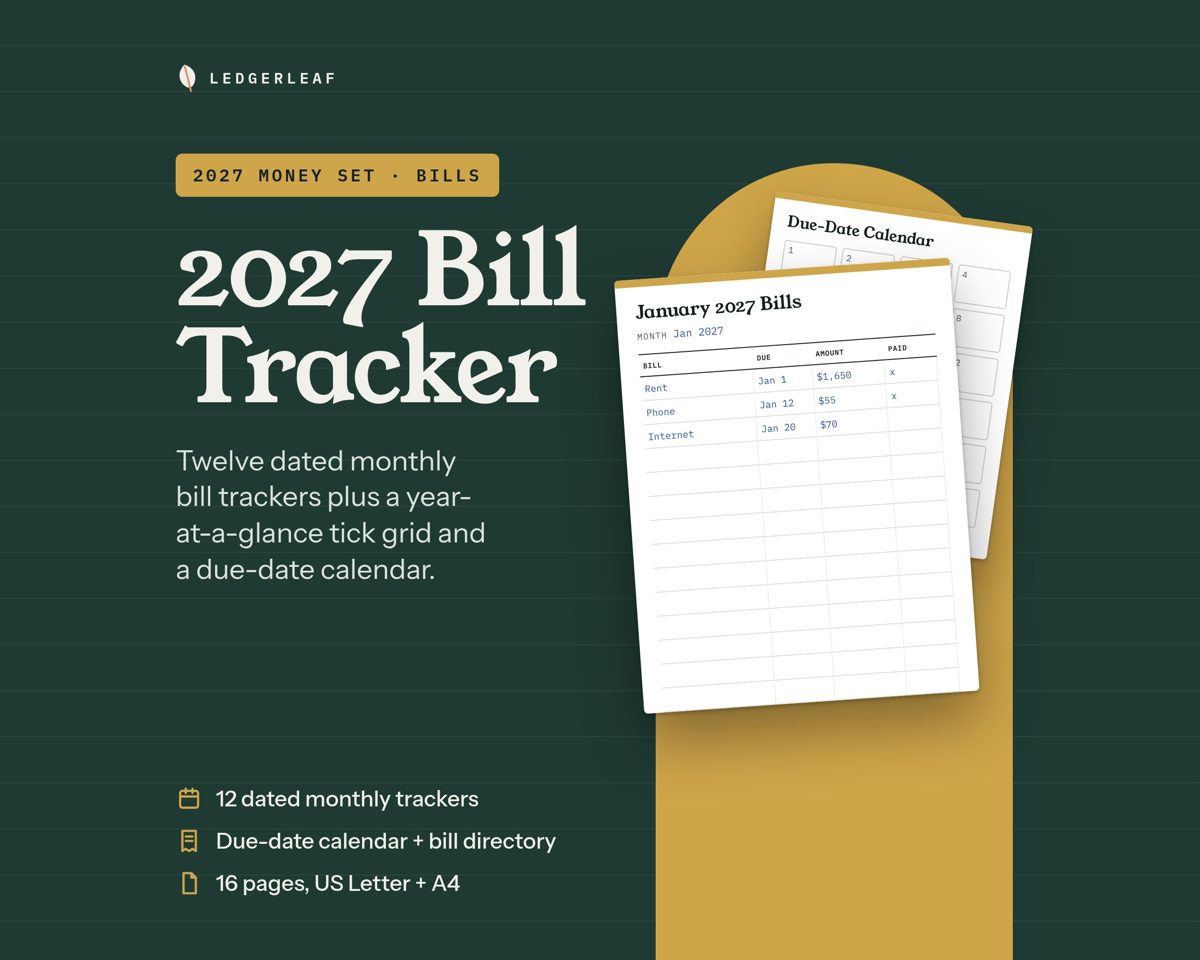
2027 Bill Tracker Printable
The 2027 Bill Tracker has a dated monthly bill page for every month of 2027 (amount due, amount paid, date paid, paid tick and confirmation number, with paydays at the top), plus a year-at-a-glance pay checklist, a due-date calendar and a bill directory. 16 pages, US Letter and A4, fillable.
Shop sale: everything in the Etsy shop is 50% off until December 15, 2026.
See the 2027 Bill Tracker Printable on EtsyNeed the budget too? The 2027 Budget Planner includes a 24-bill tracker alongside 12 dated monthly budgets. 2027 Budget Planner Printable on Etsy.
Questions people ask
What should a bill tracker include?
At minimum: who you pay, the amount, the due day, which account or card it comes from, whether it's on autopay, and a paid tick box for each month. Add yearly bills with their due month at the bottom.
How do I organize bills by paycheck?
Sort your bills by due day, then assign each bill to the paycheque that arrives before it's due. If you're paid on the 15th and the last day, the last-day cheque covers bills due on the 1st to the 14th, and the 15th cheque covers the 15th to the 31st.
Should I put all my bills on autopay?
Autopay prevents most late fees, but keep a buffer in the account it pulls from, at least as much as your largest group of bills between two paydays, so a payment never bounces.
How often should I check my bills?
Every payday. A five-minute check, ticking off what's paid and scheduling what's due before the next payday, is enough for most households.
Can I change my bill due dates?
Often, yes. Many credit card, phone, internet and utility companies will move your due date if you ask, which lets you line bills up with your paydays.
Is the free bill tracker fillable?
The free monthly bill tracker is a one-page printable you fill in by hand: 20 bills with due day, amount, autopay and 12 months of paid boxes. The paid 2027 Bill Tracker on Etsy is a fillable PDF with dated monthly pages.
More money guides
- Family emergency binder: what to put in it, with a free checklist
- How to make a monthly budget (with a real example in CAD and USD)
- Debt snowball vs avalanche: which pays off debt faster? (worked example)
- Sinking funds: what they are, 24 categories and how much to put in each
- 2027 budget planner: what to include, your 2027 paydays, and a free printable
- No spend January 2027: rules, calendar and a free rules sheet
- Christmas gift budget tracker: how to plan holiday spending